Understand exactly how to use the EENTOOLS portal
This screen explains how SME and organization users create value through assessments, scenarios, benchmarking, and reporting.
What does the portal produce for each user type?
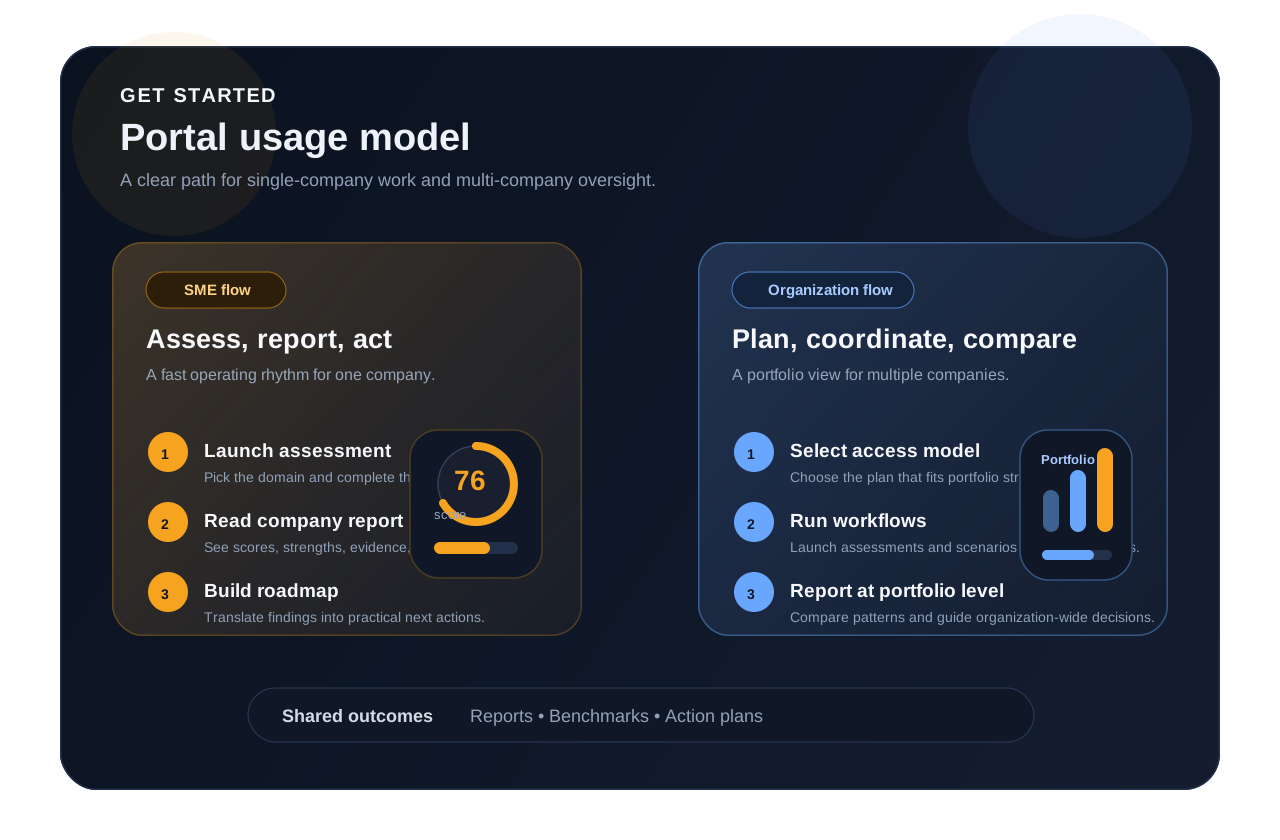
The flows below summarize how EENTOOLS supports assessment launch, reporting, benchmarking, action planning, and portfolio-level management.
Fast decision flow for a single company
-
1
Launch an assessmentLibrary
Select the right assessment for your company and complete it online.
-
2
Receive your company reportWorkspace
Scores, strengths, gaps, and critical findings are delivered as a structured report.
-
3
Review benchmark views
See how your company is positioned in the relevant domain through benchmark views.
-
4
Build your action plan
Turn findings into prioritized actions and an executable roadmap.
Manage multiple companies in one operating model
-
1
Choose the right plan for your organizationORG plans
Start by selecting the access model that fits your organization structure and scale, then configure companies and workspace permissions accordingly.
-
2
Open assessment and scenario workflows
Launch the relevant tools per company and monitor progress and completions.
-
3
Manage comparative results
View company-to-company differences, shared gaps, and standout performance areas.
-
4
Generate organization-level reporting
Use portfolio views, benchmarking, and consolidated reporting to steer decision-making.
What value becomes visible to the user?
Each workflow closes with structured, shareable, decision-ready reporting.
Relative positioning becomes visible at company, domain, and portfolio level.
Scores are translated into prioritized improvement roadmaps rather than staying as static metrics.
Choose the workflow that matches your needs
Start by exploring the assessment or scenario library. If you need to review the commercial access model, continue to the plans and pricing page.